A fix for the lumber futures contracts
In TradeStation, most of the lumber history is represented by the custom continuous @LB_11INC symbol (note – you must make sure you plot enough history to surpass the April 2023 date to see any data.) The new contract is @LBR=11INC symbol. If you want to test both contracts and get realistic results, then you need the following “BRIDGE” function and strategy.
What changed: the April 2025 introduction of a Southern Yellow Pine futures contract alongside the existing lumber contract, theoretically gave the market a targeted, species‑specific price standard for the most widely used U.S. framing timber. During the pandemic the price of lumber went parabolic.
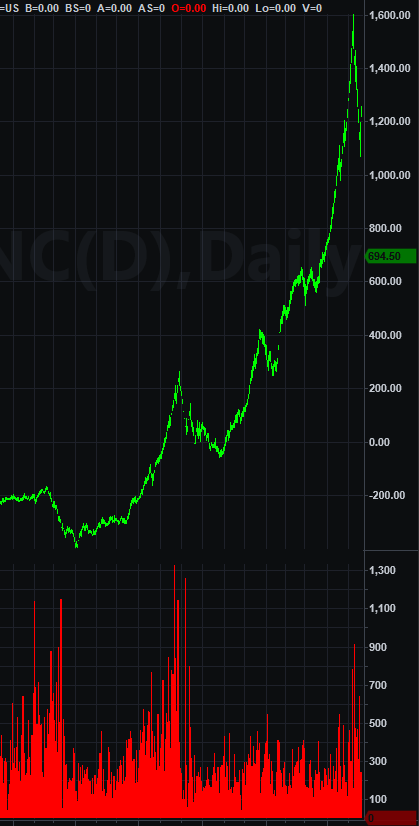
The new lumber contract is one\-quarter the size of the original contract. CME believed the smaller contract would be more accessible to traders, which in turn would improve liquidity and have a positive impact on both slippage and price volatility. While the results have been encouraging, the history of the new contract is still relatively short.
Because of this limited sample size, it makes sense to combine the old and new contracts using my “Lumber Bridge” methodology when conducting long-term backtesting. This provides a much broader historical perspective while maintaining continuity across the contract transition.
For traders building a portfolio of non\-correlated markets, lumber may be worth considering. Its unique supply\-and\-demand drivers can provide diversification benefits that are difficult to find in more traditional financial and commodity markets.
If you plot @LB=11INC going back a few years you and apply a system that has an open position at the end of the data you will get either an unrealistic profit or loss.

And if you just want to look at the newer contract you will get this in the early stages of the new contract.
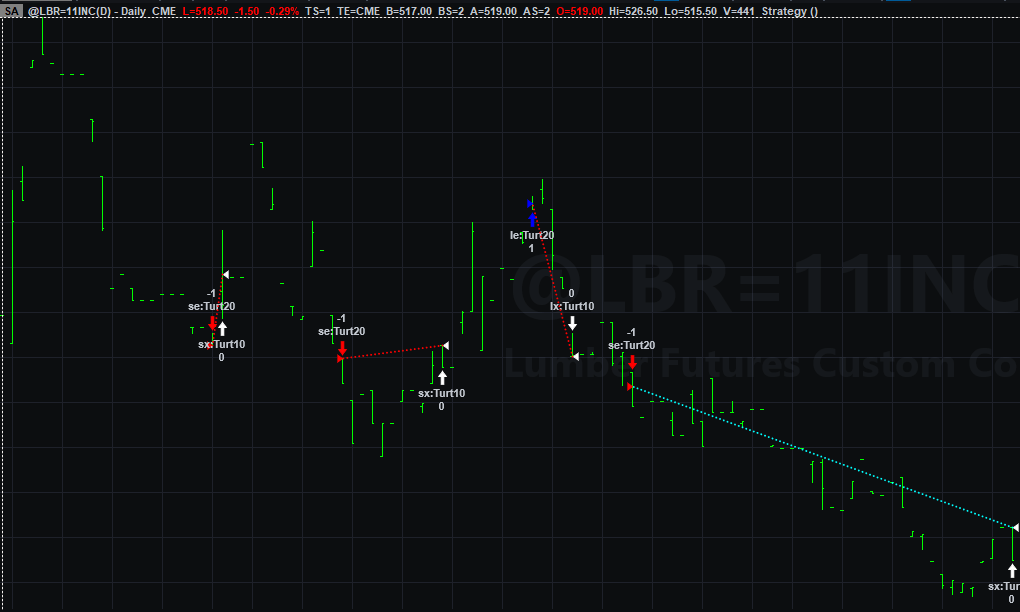
If you are including lumber in your portfolio, you can use the following code to stop trading the old lumber LB=11INC and start trading the LBR=11INC on appropriate dates. I determined you should get out of LB=11INC at the open of 4/25/2023 and wait for a new signal on or after 4/25/2023 in LBR=11INC.
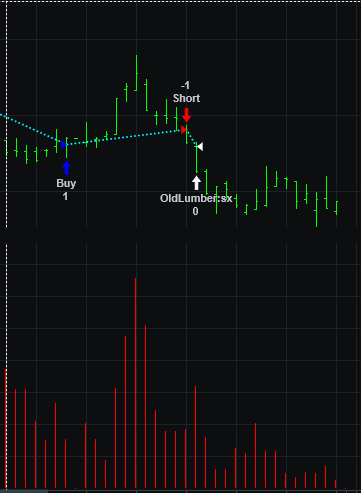
I exit on the open of 4/25/2023 in the old contract and start trading the new contract on the same date.
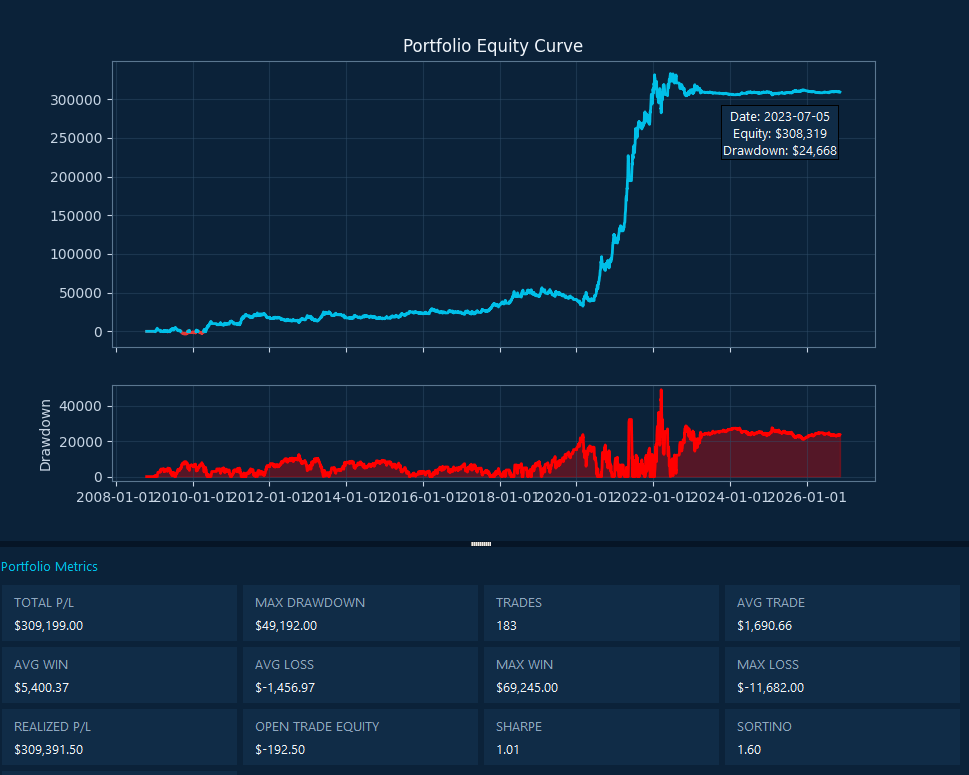
Here is a combined equity curve where there is no overlap.
LumberStrategy Code:
LumberBridge Function
Incorporate the following code into your logic if testing lumber
Why do all this work
This tool is absolutely necessary when working with portfolio-based trend following systems. The lumber futures contract has demonstrated a high level of non-correlation against most other futures for years. It is a unique market.
Discover more from George Pruitt
Subscribe to get the latest posts sent to your email.